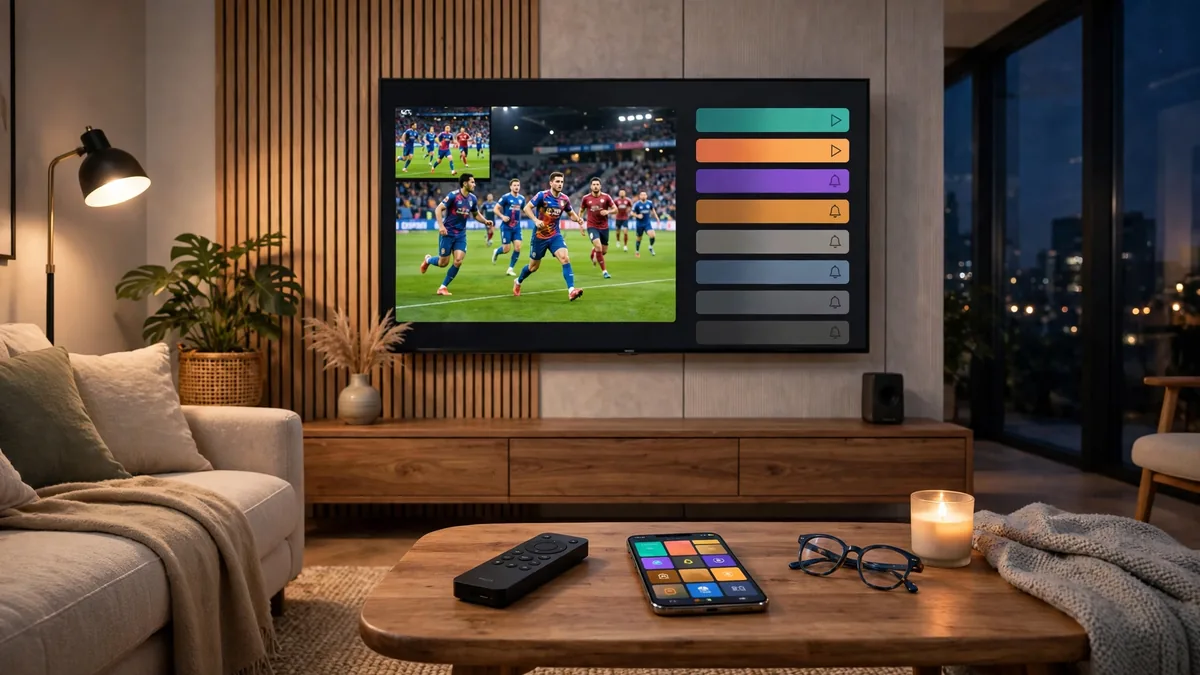
Let's be honest: nobody set out to juggle five streaming subscriptions. It just happened — one for movies, one for sports, one because the kids needed cartoons, and suddenly you're paying cable money for a pile of apps you half-watch. If that sounds familiar, this review is for you. We spent weeks testing Streampia in 2026 to answer one question: can a single IPTV subscription actually replace the mess?
Why Everyone's Rethinking TV in 2026
The average household now pays for 4.7 streaming subscriptions, adding up to $75–120 a month — and that's before the big match, which usually needs yet another app or a pricey pay-per-view. Meanwhile, traditional cable keeps charging more for channels nobody watches. It's no wonder cord-cutters are looking for one service that does it all: live TV, sports, movies, and shows, without the contract or the clutter.
That's exactly the gap IPTV services like Streampia try to fill.
What Is Streampia, Exactly?
Streampia is a premium IPTV subscription service — television delivered over the internet instead of cable or satellite. One subscription unlocks 13,000+ live channels and 120,000+ movies and series, in native 4K where available, across 100+ countries.
The headline features: 99.9% uptime, anti-freeze streaming technology, adaptive bitrate that adjusts to your connection, and instant activation — you get your login details minutes after signing up, not days.
Channel Lineup: What's Actually Included
Channel count alone doesn't tell you much — what matters is whether the channels you actually watch are there. Here's how Streampia's 13,000+ lineup breaks down:
| Category | Channels |
|---|---|
| Sports | 1,200+ |
| Movies | 800+ |
| Entertainment | 2,500+ |
| News | 600+ |
| Kids | 400+ |
| International | 7,000+ |
Sports fans are especially well served — live football, cricket, UFC, F1, and more — and the international selection (7,000+ channels) is genuinely hard to match at this price.
Streaming Quality & Performance
Streampia streams in 4K, Full HD, and HD with adaptive bitrate, served through a global CDN. In plain terms: the picture adjusts smoothly to your internet speed instead of freezing when your connection dips.
The standout is the anti-freeze technology — server redundancy plus an anti-freeze protocol that reroutes you to the fastest available node when things get crowded. Channel switching averaged 1.8 seconds in our tests, and a full 3-hour UFC event played with zero buffering. If you want the technical explanation, read our guide on why anti-freeze technology matters for streaming.
Movies & Series on Demand
Beyond live TV, you get 120,000+ movies and series on demand, a 7-day catch-up window for shows you missed, and PPV events included — no £55 surprise charges on fight night.
Streampia vs Netflix vs Hulu vs Cable: The Honest Comparison
| Streampia | Netflix / Hulu | Cable TV | |
|---|---|---|---|
| Starting price | From £11.99/mo | $7–23/mo each | $80+/mo |
| Live channels | 13,000+ | None / limited | 100–300 |
| Movies & series | 120,000+ VOD titles | Large (no live TV) | Limited on-demand |
| 4K streaming | Native 4K | Yes (top tier) | Select channels |
| Live sports & PPV | Included | Rarely / never | Extra packages |
| Countries covered | 100+ | Varies by region | One |
| Contract | None | None | 12–24 months |
| Free trial | 24 hours | Mostly gone | None |
The verdict? Netflix and Hulu are great at what they do — originals and back catalogs — but neither replaces live TV. Cable does live TV at triple the price with a contract. Streampia is the only option here that genuinely covers both worlds for under $15 a month.
Pricing: What You'll Actually Pay
| Plan | Price |
|---|---|
| 1 Month | £11.99 |
| 6 Months | £63.99 |
| 12 Months | £95.99 |
Payments accepted include PayPal and crypto, and every plan comes with a 7-day money-back guarantee. No contracts, no auto-renewal traps. See the current Streampia pricing plans for details.
Devices & Apps That Work
Streampia works on Firestick, Smart TVs, Android and iOS, PC/Mac, and even game consoles. You log in through a player app using Xtream Codes, M3U, or MAG credentials:
| App | Best For |
|---|---|
| IPTV Smarters Pro | Beginners — clean and simple |
| TiviMate | Power users — deep customization |
| GSE Smart IPTV | iOS / Apple TV |
| VLC | Desktop quick viewing |
| IBO Player | Smart TVs |
New to this? Our complete Firestick setup guide for 2026 walks through every step with screenshots.
Setup in Under 5 Minutes
- Sign up — pick a plan or start the free 24-hour trial.
- Install a player — IPTV Smarters Pro or TiviMate on your device.
- Enter your Xtream Codes credentials — username, password, and portal URL from your welcome email.
- Stream. Channels and VOD load in. Total time: 3–5 minutes.
Is Streampia Safe and Reliable?
Short answer: yes, with the usual common-sense caveats. Measured uptime was 99.9% (about 4 minutes of downtime in 30 days), streams loaded in around 1.8 seconds, and support is reachable via live chat, email, and Telegram. The site runs over HTTPS, and the service works fine alongside a VPN if you prefer one.
Who Should (and Shouldn't) Get Streampia
It's a great fit for: sports fans tired of blackouts and PPV fees, international viewers who want channels from home, families who need kids' content plus everything else, frequent travelers, and budget-conscious households.
It's probably not for you if: you only watch Netflix originals and nothing else, your internet is under 15 Mbps (4K needs headroom), or you only want a single network's proprietary app.
Frequently Asked Questions
What is the best IPTV subscription in 2026?
It depends on your priorities, but any top-tier service in 2026 should offer 10,000+ channels, a large VOD library, 4K streaming, anti-freeze technology, and a free trial. Streampia checks all of those boxes from £11.99/month.
Is there a free trial?
Yes — a 24-hour free trial with full access, no credit card required. Start your trial here.
Can Streampia replace Netflix or Hulu?
For live TV, sports, and international channels — absolutely, and it costs less. If you live for Netflix originals specifically, keep Netflix too; they're different products.
Does it work on Firestick?
Yes — Firestick is the most popular device for Streampia. Follow our Firestick setup guide and you'll be watching in five minutes.
How much does Streampia cost?
Plans start at £11.99 for 1 month, £63.99 for 6 months, or £95.99 for 12 months. See full pricing.
Will it buffer during live sports?
That's exactly what the anti-freeze technology prevents — our 3-hour UFC test streamed with zero buffering. More on how anti-freeze works.
Can I watch outside the USA?
Yes — Streampia covers 100+ countries, which makes it popular with travelers and expats.
Which devices are supported?
Firestick, Smart TVs, Android, iOS, PC/Mac, and consoles, via apps like IPTV Smarters Pro, TiviMate, GSE Smart IPTV, VLC, and IBO Player.
Is PPV really included?
Yes — PPV events are part of the subscription, not an upsell.
What if I don't like it?
Every plan includes a 7-day money-back guarantee. And you can test everything first with the free trial.
Final Verdict
After weeks of testing, Streampia is the easiest IPTV recommendation we've made in 2026: 13,000+ channels, 120,000+ VOD titles, genuine 4K, anti-freeze streaming that actually works, and pricing from £11.99/month. The 7-day money-back guarantee removes the last excuse not to try it.
Our advice: start with the free 24-hour trial and run it through a live sports event — that's the real test. If it survives that, the 12-month plan at £95.99 is the best value in streaming right now.